
Olymptrade - Trading online10.24.95276 - Google Play
You'll be able to see results in few seconds.
Publisher Description


Trade online with 24/7 support and a zero-risk demo account for practicing
Olymptrade is an international broker providing access to over 250 assets, including local and 24/7 ones. With this app, you can trade, learn and analyze the market — all from your smartphone. Start with a deposit as low as $10 and open trades with just $1 or the equivalent in your local currency.
250+ ASSETS & 30+ INDICATORS
Getting into trading is easier than ever with Olymptrade’s intuitive interface. Use indicators and a wide range of helpful analytical tools. Try Trade Analytics to track your trading success and get personalized tips based on your performance. Choose from a wide range of different asset types, including:
● Indices: S&P 500, Dow Jones
● Metals: Gold, silver
● Commodities: Brent, natural gas
● ETFs
RISK-FREE PRACTICE WITH A DEMO ACCOUNT
All Olymptraders get a free demo account so they can learn trading with real market quotes without risking their funds. Each demo account has a replenishable 10,000 demo currency units, and it’s yours right after signup. You can switch to a live account any time, deposit funds into it, and trade whenever and wherever you want.
WEBINARS, ANALYTICS & TRADING STRATEGIES
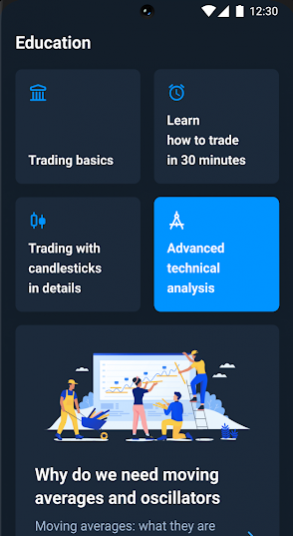
Whether you’re a novice or an expert, Olymptrade’s educational resources, including courses, webinars, trading strategies, analytics and the latest news will help you make more informed decisions so that you can reach your goals.
MULTILINGUAL 24/7 SUPPORT AND EXPERT ADVICE
No matter when you need help, our support team is available 24/7 in your language. You can contact support via email, chat, or even via a voice call to get prompt help or advice from our specialists. You can also get personal advice from our Trading Coaches to help you navigate the world of trading. We’re committed to resolving any issues and providing a top-notch service to every trader.
SAFETY IN TRADING
Your security is our priority. Two-factor authentication and Face ID/Touch ID ensure that your account is well protected, and your funds are insured up to €20,000 by the Financial Commission if you’re dissatisfied with our service.
Start trading with Olymptrade. Experience care that counts.
Financial services on the Olymptrade app are provided by Aollikus Limited, a licensed financial dealer with company no.: 40131. Registered address: 1276, Govant Building, Kumul Highway, Port Vila, Republic of Vanuatu.
Trading carries a risk of loss.
About Olymptrade - Trading online
The company that develops Olymptrade - Trading online is OlympTrade. The latest version released by its developer is 10.24.95276.
To install Olymptrade - Trading online on your Android device, just click the green Continue To App button above to start the installation process. The app is listed on our website since 2026-10-02 and was downloaded 0 times. We have already checked if the download link is safe, however for your own protection we recommend that you scan the downloaded app with your antivirus. Your antivirus may detect the Olymptrade - Trading online as malware if the download link to com.ticno.olymptrade is broken.
How to install Olymptrade - Trading online on your Android device:
- Click on the Continue To App button on our website. This will redirect you to Google Play.
- Once the Olymptrade - Trading online is shown in the Google Play listing of your Android device, you can start its download and installation. Tap on the Install button located below the search bar and to the right of the app icon.
- A pop-up window with the permissions required by Olymptrade - Trading online will be shown. Click on Accept to continue the process.
- Olymptrade - Trading online will be downloaded onto your device, displaying a progress. Once the download completes, the installation will start and you'll get a notification after the installation is finished.
Program Details
System requirements
Download information
Pricing
Version History
version 10.24.95276
posted on 2026-10-02
We have improved the app performance in the latest version and fixed some bugs to make trading even more convenient for you.
version 10.23.93684
posted on 2026-08-31
Time to get in the zone!
• Try InZone: a new trading mode where you trade a price range, not a direction.
• Find and switch trading modes faster with the new navigation.
version 10.22.92558
posted on 2026-08-12
Your trading space has just been upgraded to make you feel right at home.
• Explore public profiles with key trading stats, and personalize yours with an avatar and privacy controls.
• Use the redesigned form to open and manage trades while keeping the chart in view.
• Spot potential entry points with a new market analysis tool. Adjust it to your pace and experience with the AI-powered setup.
version 10.21.90870
posted on 2026-08-03
Your trades just got even more flexible!
Now you can extend the duration of a trade if it hasn’t reached your target yet.
Update the app and stay on top of every market move.
version 10.19.86230
posted on 2026-05-08
More ways to be seen — your way.
Now you can set a custom profile picture to show your personality. Your avatar shows up on leaderboards too, so you’ll be easier to spot on the way to the top.
Give your account your own personal touch now!
version 10.9.71088
posted on 2025-07-28
version 9.18.58277
posted on 2024-07-18
Stay on top of your transactions with our latest update!
The Transactions section is now fully integrated into the Payments menu for quick and easy access to your operations history.
Enjoy the convenience of features designed to fit your needs.
version 9.17.57538
posted on 2024-06-26
Find what matters in the new update
Updated Notifications section now has filters for key alerts so you can access them quickly. You can also review the past month’s message history.
version 9.13.52912
posted on 2024-02-14
Introducing a new approach to candlestick strategies!
Our latest feature enables short-time trades so you can catch the slightest price movements. Now, you can open a trade for less than one minute and close it within the same candlestick to keep up with the market rhythm.
version 2.7.15
posted on 2018-02-26
Hello! We added new crypto assets and made the application much better!
Disclaimer
Official Google Play Link
We do not host Olymptrade - Trading online on our servers. We did not scan it for viruses, adware, spyware or other type of malware. This app is hosted by Google and passed their terms and conditions to be listed there. We recommend caution when installing it.
The Google Play link for Olymptrade - Trading online is provided to you by apps112.com without any warranties, representations or guarantees of any kind, so access it at your own risk.
If you have questions regarding this particular app contact the publisher directly. For questions about the functionalities of apps112.com contact us.
